
Booking software for every kind of studio.
Yoga, boxing, spin, dance, martial arts, Pilates and more. Clients book and pay from their phone, on a page in your name and colours, and you run the week from one console.
First month freeFirst three months free From £15.99 a month
ISO 27001 certifiedYour clients’ details, independently checked
What this means
An independent auditor has checked how we look after the details you and your clients trust us with: who can see them, how they are kept safe and backed up, and what we do if something goes wrong. They check again every year.
TallyUp is made and run by BespokeWorks AI Limited, certified to ISO/IEC 27001:2022 by Tempo Audits, a UKAS accredited certification body. Certificate TA-01-BAL-191026.
See the certificate →
- 07:00Reformer FoundationsMaya · 50 min2 reformers left
- 08:15Reformer FlowTom · 50 minFull · waitlist
- 18:00Jump BoardMaya · 45 min4 reformers left
The Founding 100.
The first 100 studios on TallyUp get their first three months free, and a founding number that stays theirs.
All 100 founding places are taken. Every studio that joins from here still gets its first month free.
Card taken at sign-up. The board updates from real sign-ups.
Cancel any time before then and you pay nothing. We email you before your first payment.
A booking system for any studio.
Boxing at seven, spin at lunch, a dance course in the evening: every class on one timetable, booked and paid for on your clients’ phones. Packs, memberships, waitlists, health forms, messages and card payments in the same place.

Made for every kind of studio.
Pick yours to see how TallyUp works for it.









Watch a booking happen.
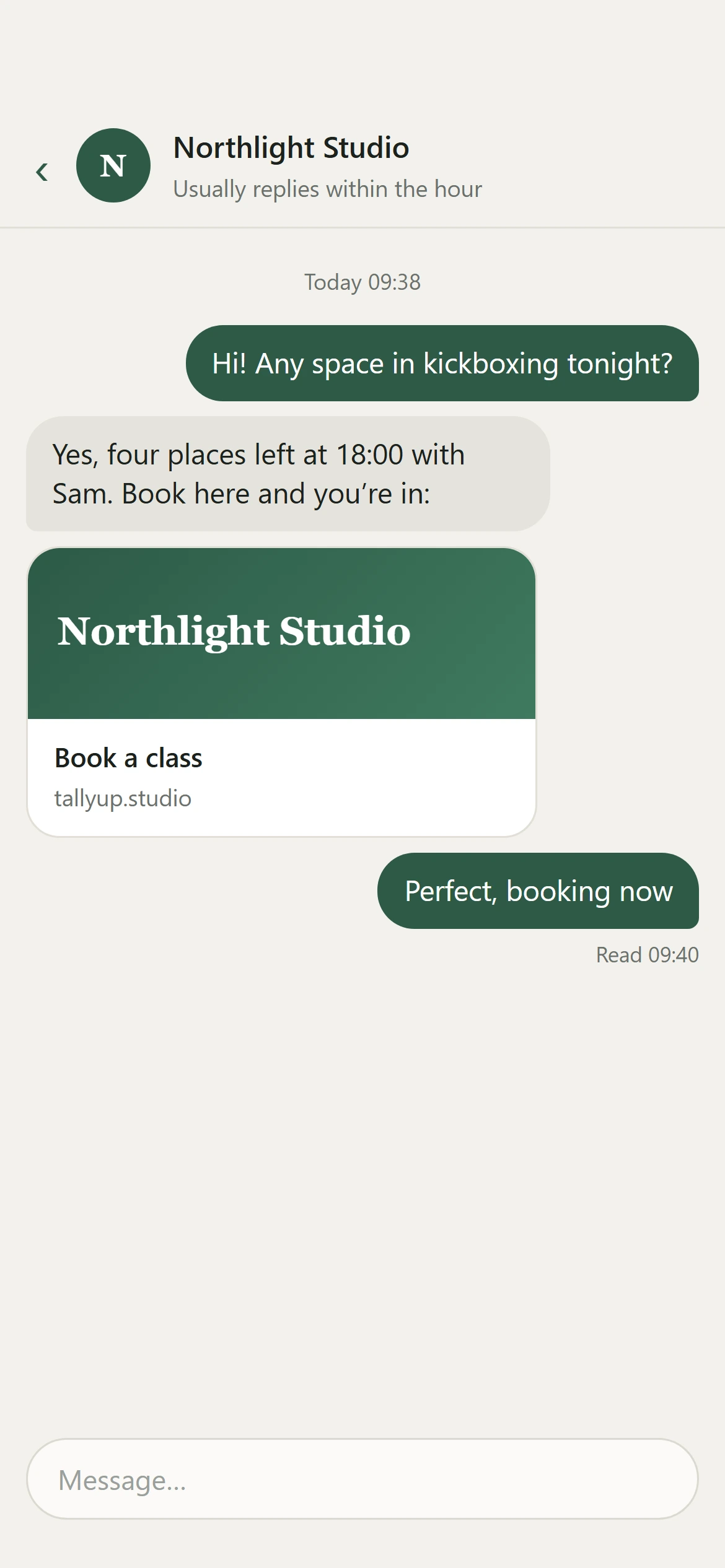
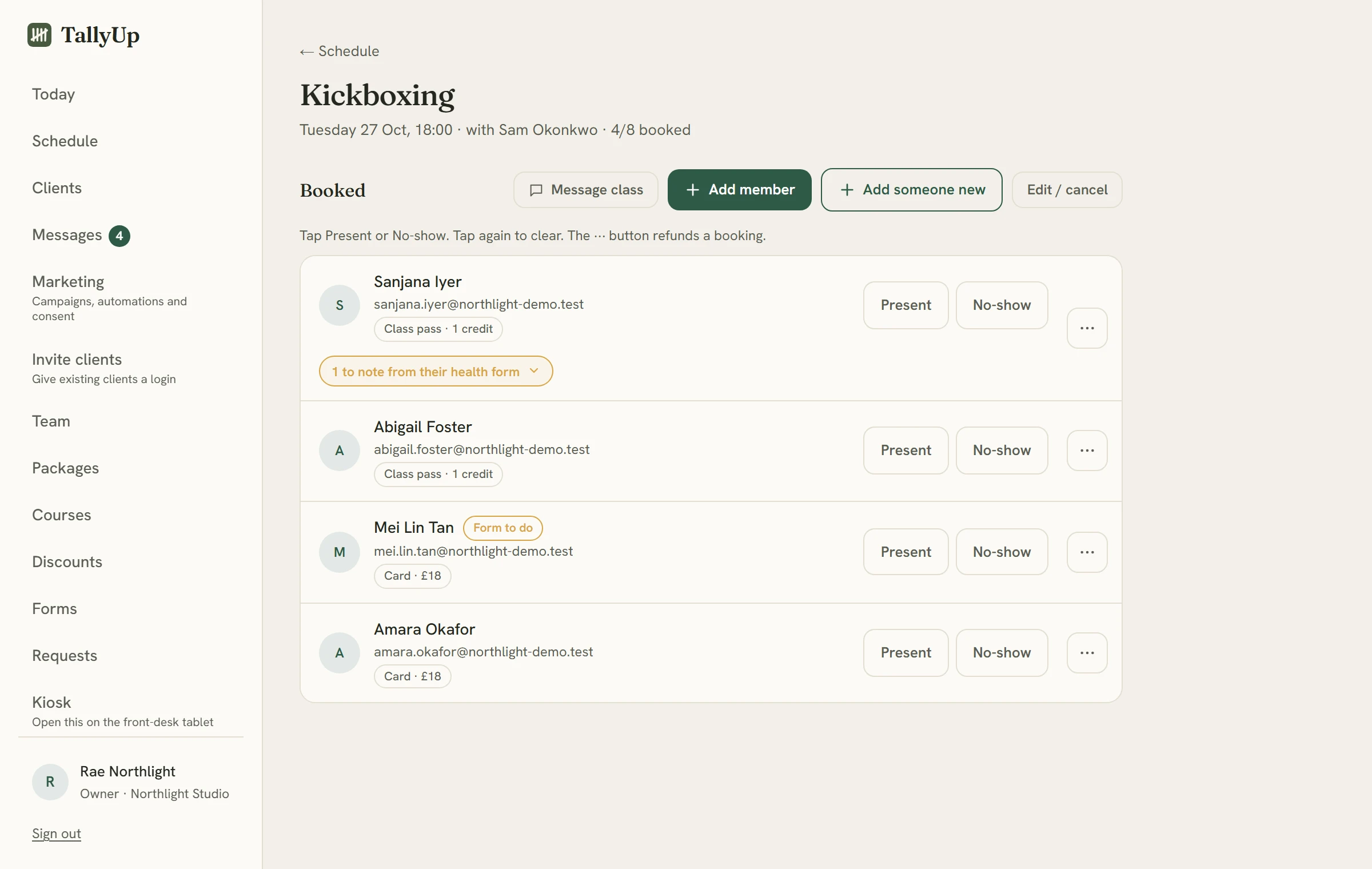
One client books tonight’s kickboxing at Northlight Studio, from a message to the front desk. Their phone is on the left, and what the studio sees at the same moment is on the right. After the first message, every screen is TallyUp as it is today.
-
It starts with a message.
A client asks whether there is space tonight, and the studio replies with its booking link.
-
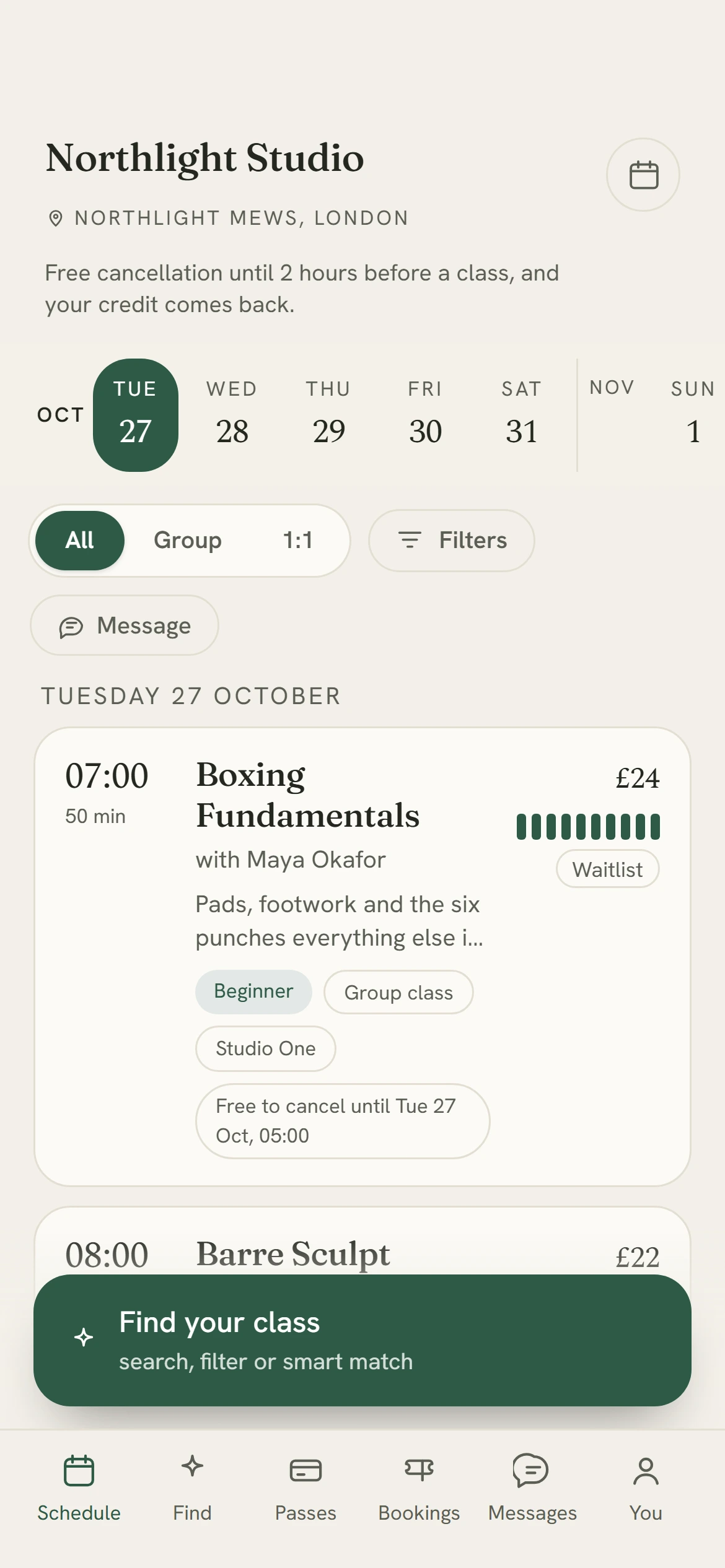
The studio's own page.
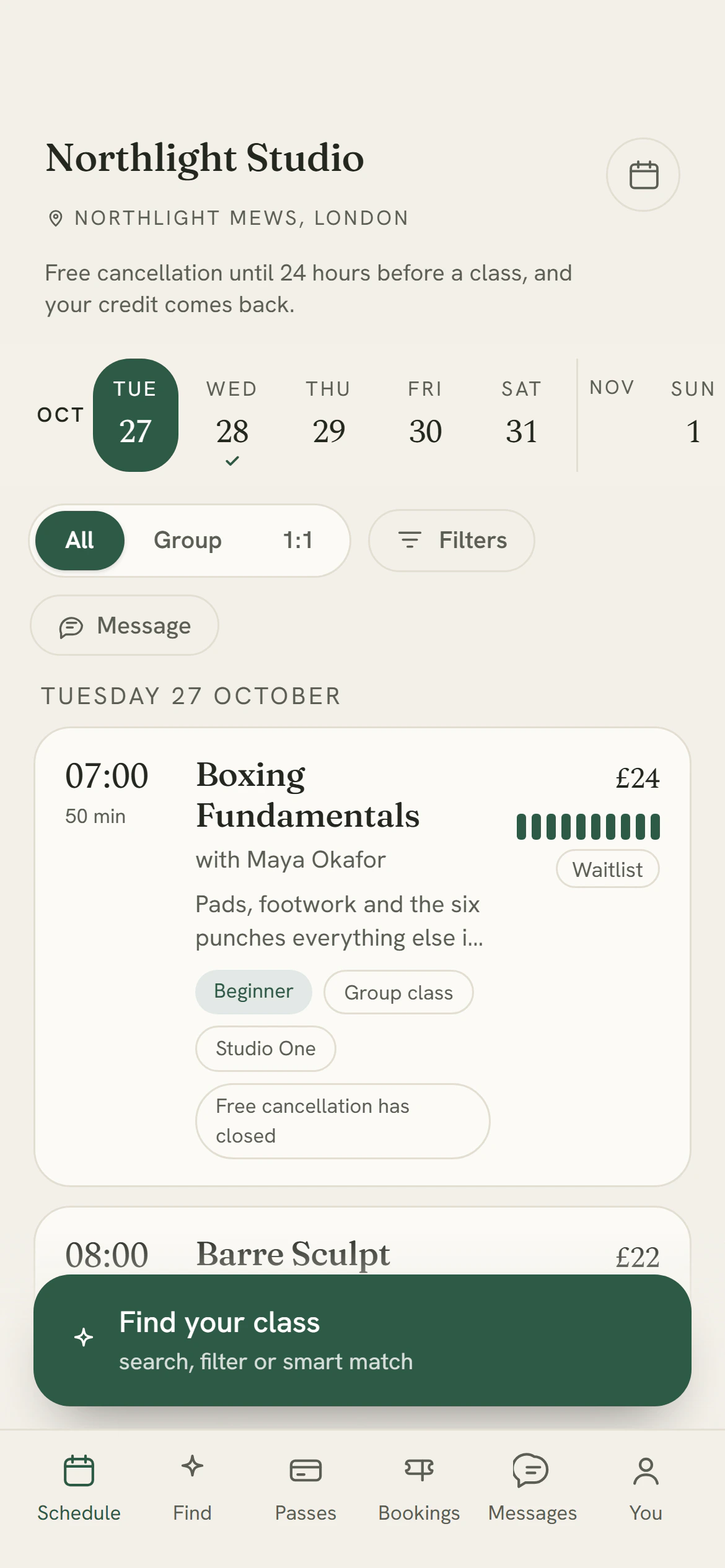
The link opens the studio's page, in its name and colours: the week's classes, each with the places left. There is no app to download.
-
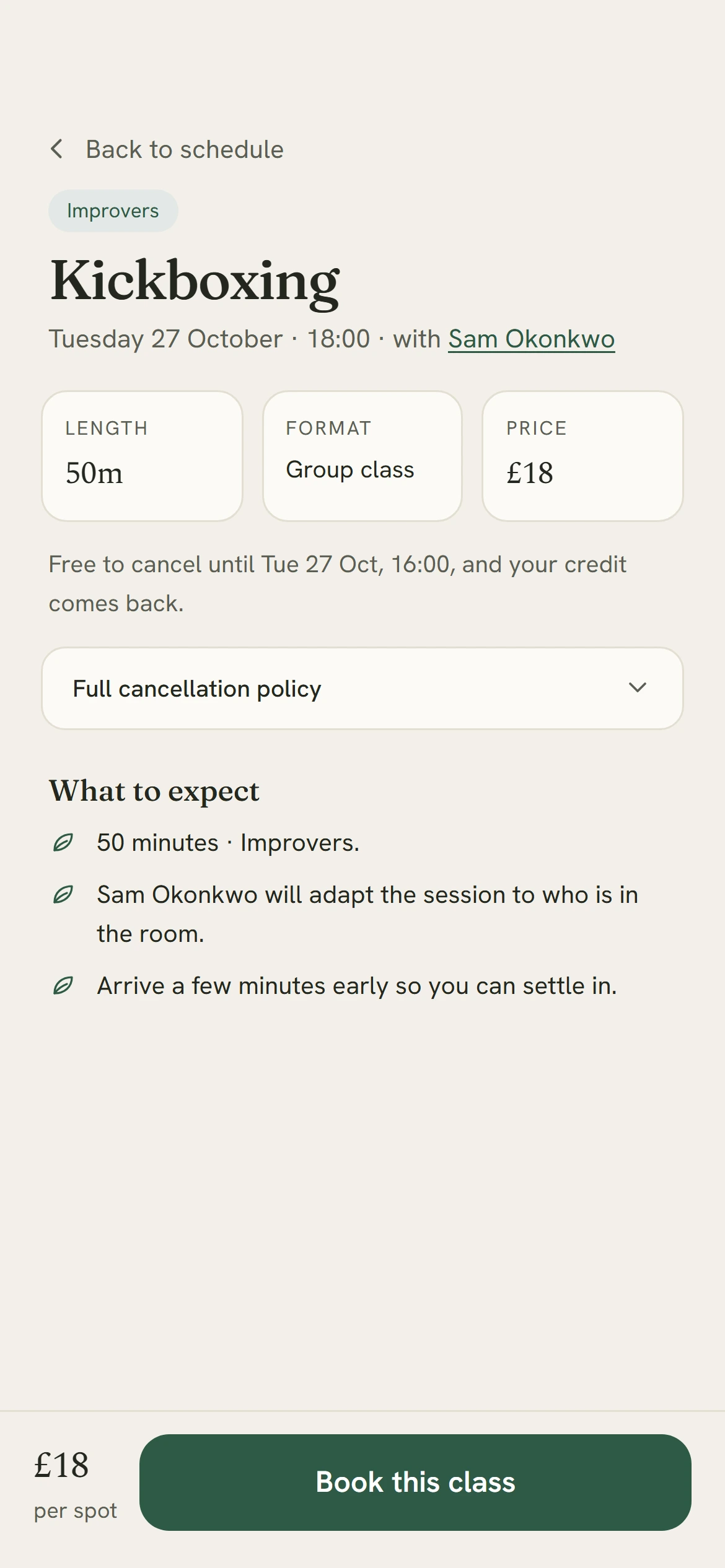
The class, in plain words.
Who teaches it, how long it is, what it costs, and until when it is free to cancel.
-
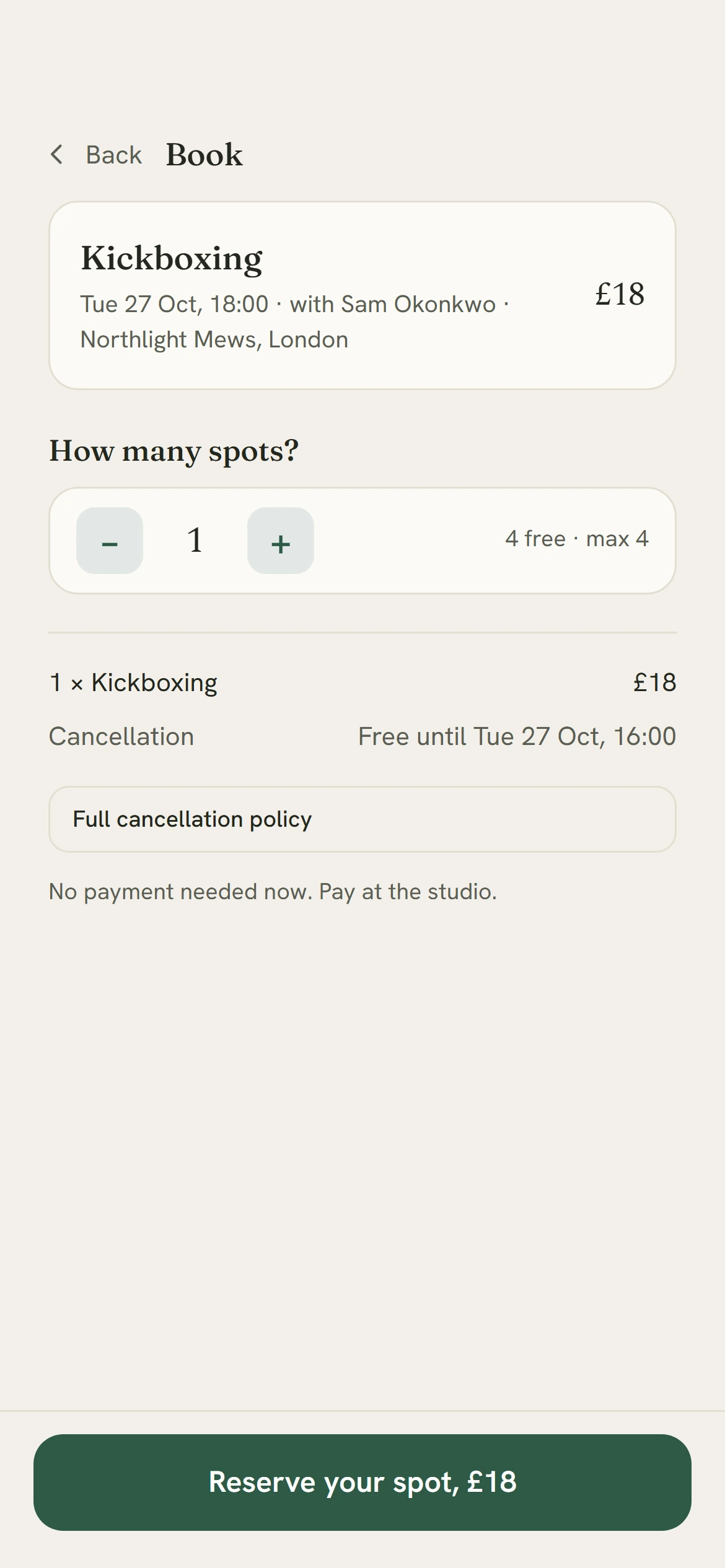
Booked in two taps.
Choose how many places, then book. The studio decides how people pay: by card or Apple Pay, with a pass, or at the studio.
-
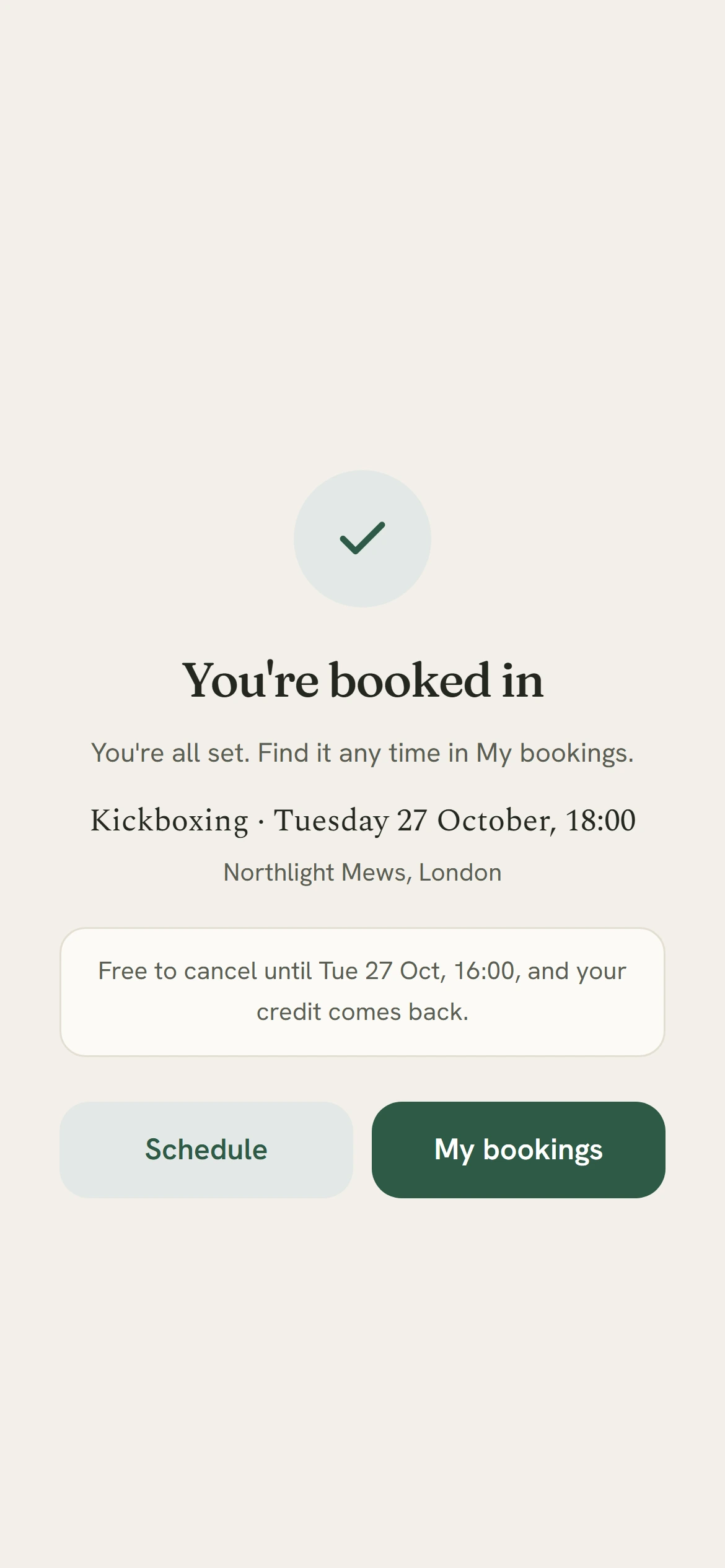
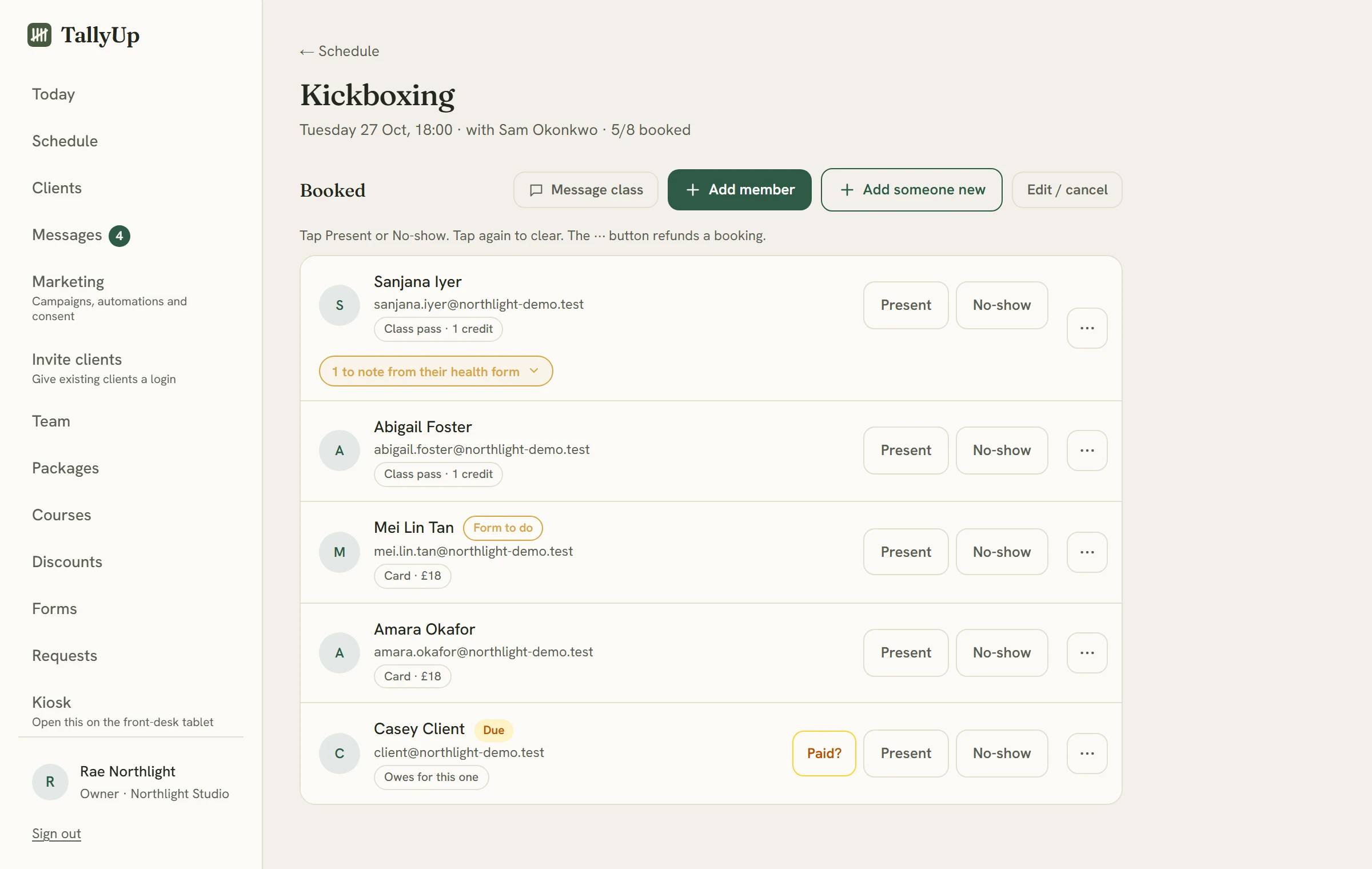
The studio sees it at once.
The client gets their confirmation, and at the same moment their name is on the class list, with how they are paying.
-
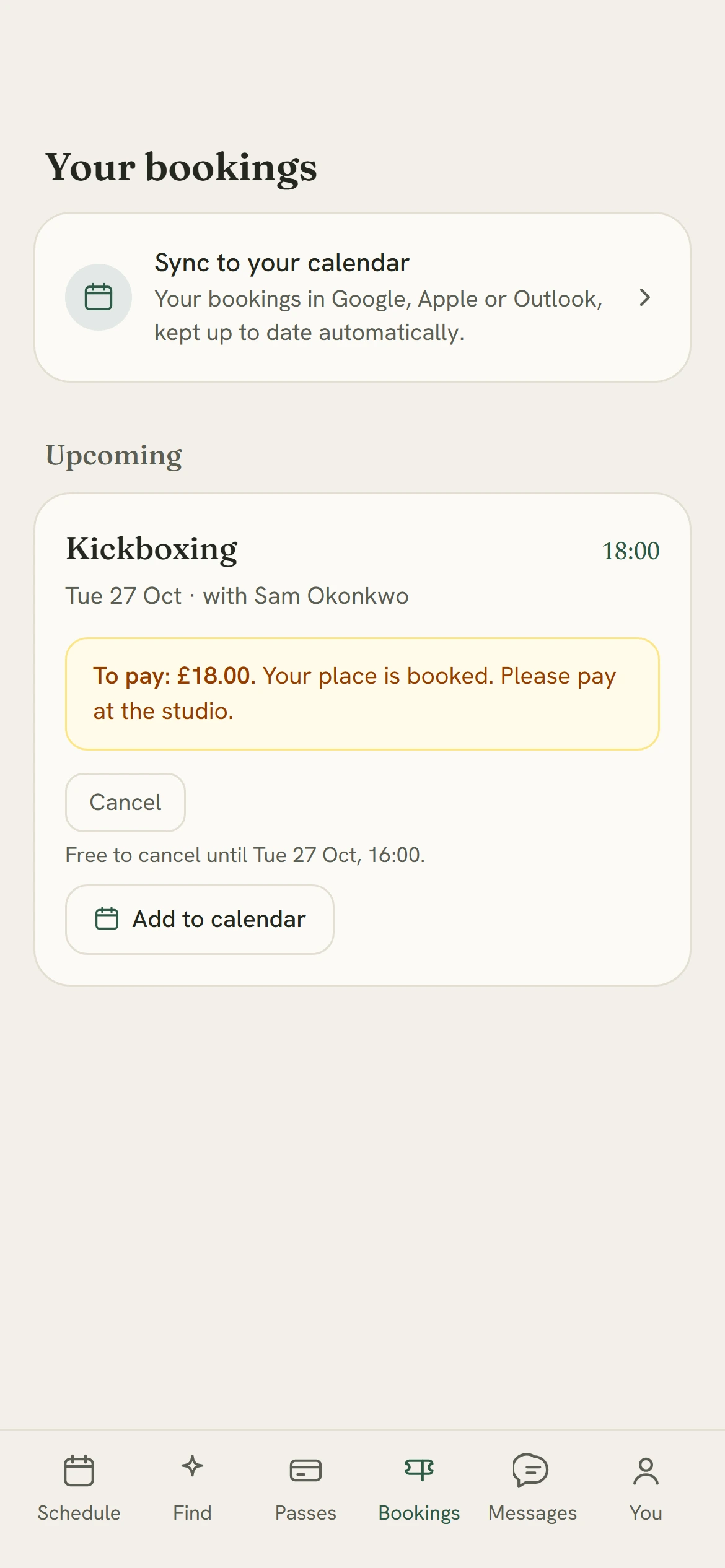
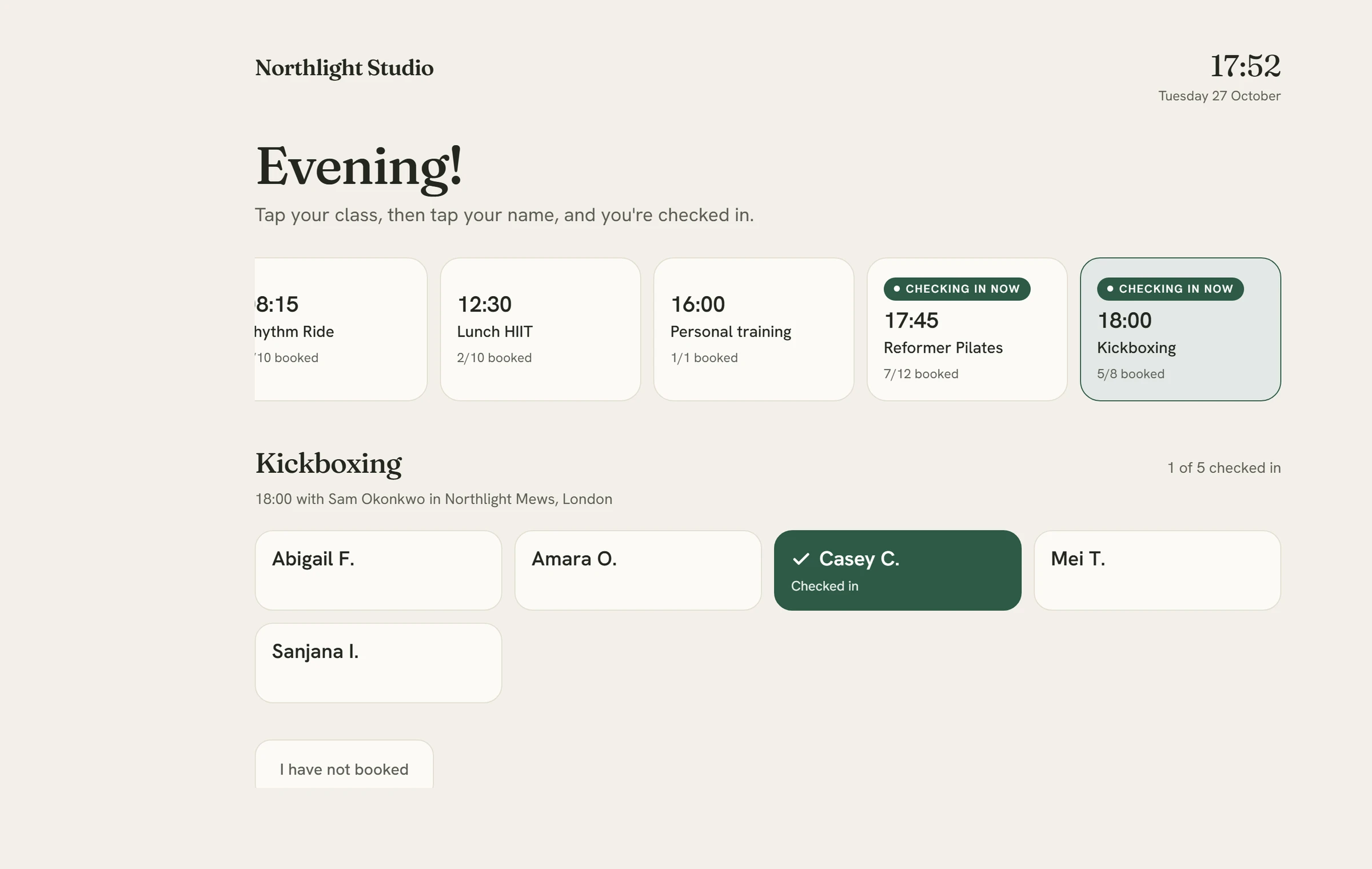
At the desk, tap your name.
The booking waits in their bookings. At the studio they tap the class on the front-desk tablet, then their name, and they are checked in.
Inside the console.
The console covers the timetable, front desk, clients, passes, forms, messages and reports. Pick a section to see its screens.
Timetable
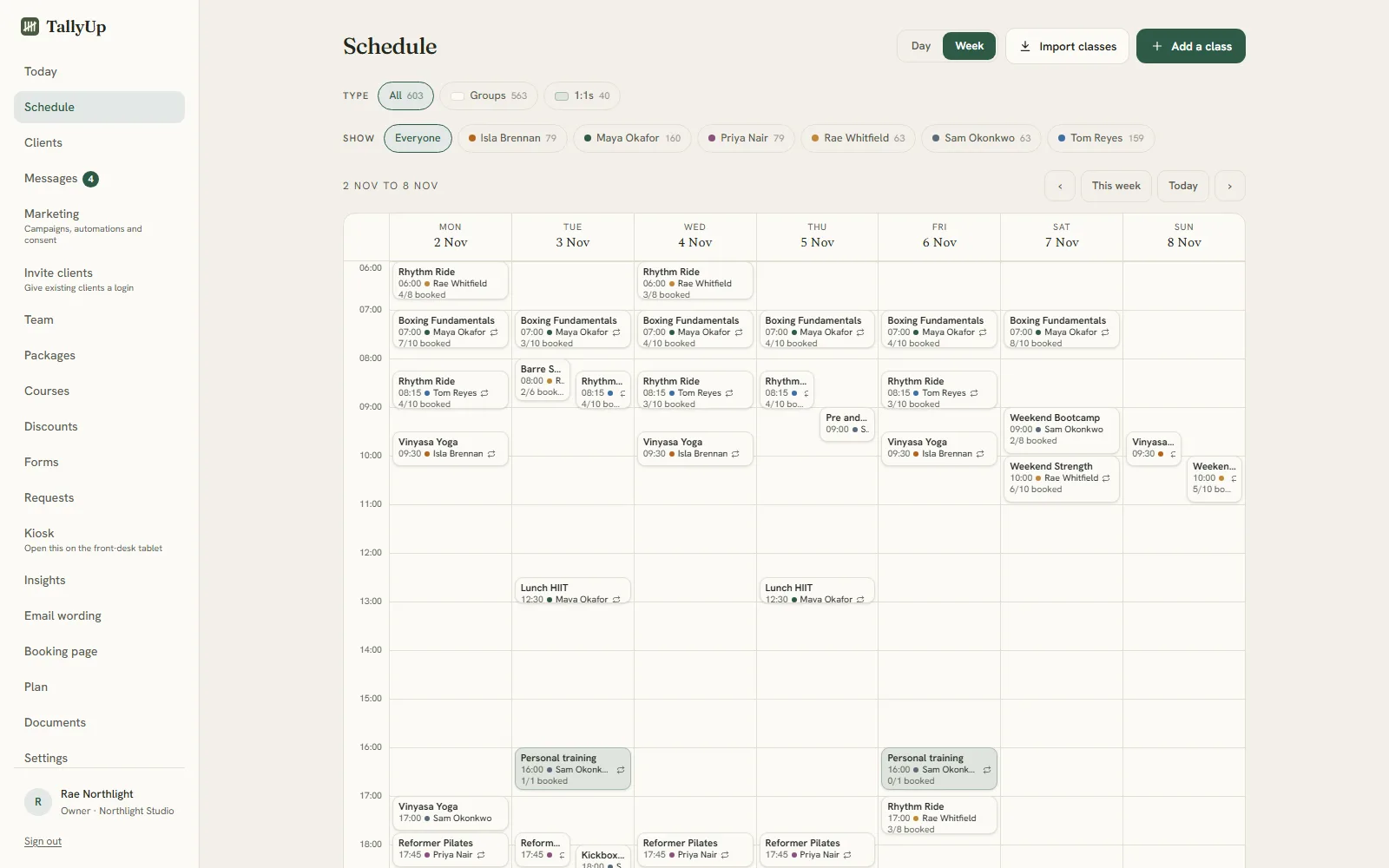
See today at a glance, then plan the weeks ahead on one grid. Repeating classes, one-offs, privates and courses, each teacher in their own colour, and every class showing how full it is.
Screens from the TallyUp console, shown with an example studio.


Every plan also includes your cancellation terms on every class, written from your own settings; calendar feeds for you and your clients; a widget for your own website; exports of your bookings and clients, with no lock-in; and team logins with roles.
An AI concierge that finds each client the right class.
A client describes what they want in a sentence. The concierge returns up to four of your classes, ranked, each with a short reason it fits. It works from your own class descriptions and only suggests classes that can be booked. Included in Studio + Concierge at £19.99 a month.
Set up in an afternoon.
If you booked a class with a studio on TallyUp, sign in to see your bookings or open the link your studio sent you.
We move your studio across for you.
Nothing reaches your clients until you say so. Then everybody is sent their login link in a few clicks, and their passes and bookings are already there when they first sign in.
- Your client list, with how each person likes to be contacted
- The passes and credits each client still holds
- Classes already booked for the weeks ahead
We move studios from Gymcatch, Mindbody, Momence or a spreadsheet. You send us an export and we help with the rest.
What every studio gets.
- Your first month is freeNothing is charged during it, you can cancel any time from your console, and there is no minimum term.
- Changes at no extra costTell us what is missing or what should look different. We read every request in our weekly review, and what we build costs you nothing extra.
- We do the moveWe move your clients, their passes and their future bookings from Gymcatch, Mindbody, Momence or a spreadsheet. Nothing reaches your clients until you say so.
- Your data is yoursExport your bookings and client list whenever you like. No lock-in and no exit fee.
- Two plans, each one monthly pricePer studio, with unlimited classes, bookings, clients and team logins.
- You talk to the people who build itMessages go straight to the team that builds TallyUp.
£15.99 or £19.99 a month per studio.
Per studio, with everything included and unlimited bookings. Your first month is free, for every studio, and there is no minimum term.The first 100 studios get their first three months free, and there is no minimum term.
Your booking page and the console, with unlimited bookings, packs and memberships, waitlists, forms, messages and payments.
Start with Studio →Everything in Studio, plus the AI concierge that matches each client to the right class when they say what they are after.
Start with Concierge →Your first month is free.Your first three months are free.
Every studio starts with a free month, and the offer has no end date.For the first 100 studios. After that, every studio starts with a free month, and that offer has no end date. Nothing is charged during it, and you see the date of your first payment before you add a card.
Give a month, get a month
Refer a studio and you both get a free month.
Every studio has its own link on its Plan page. A studio that joins through yours gets its second month free as well as its first. Once they have paid their first bill, a month comes off yours. Send it to as many studios as you like.
Card payments go straight to your bank through Stripe, with a 2% + 20p payment processing fee for UK cards. Nothing is added to what your clients pay. Full pricing
Ask for a feature or a design change.
We review every request each week and tell you what we decide. Anything we build for you costs nothing extra.